
Microsoft SQL Server Training Classes in Macon, Georgia
Learn Microsoft SQL Server in Macon, Georgia and surrounding areas via our hands-on, expert led courses. All of our classes either are offered on an onsite, online or public instructor led basis. Here is a list of our current Microsoft SQL Server related training offerings in Macon, Georgia: Microsoft SQL Server Training
Microsoft SQL Server Training Catalog
Course Directory [training on all levels]
- .NET Classes
- Agile/Scrum Classes
- AI Classes
- Ajax Classes
- Android and iPhone Programming Classes
- Azure Classes
- Blaze Advisor Classes
- C Programming Classes
- C# Programming Classes
- C++ Programming Classes
- Cisco Classes
- Cloud Classes
- CompTIA Classes
- Crystal Reports Classes
- Data Classes
- Design Patterns Classes
- DevOps Classes
- Foundations of Web Design & Web Authoring Classes
- Git, Jira, Wicket, Gradle, Tableau Classes
- IBM Classes
- Java Programming Classes
- JBoss Administration Classes
- JUnit, TDD, CPTC, Web Penetration Classes
- Linux Unix Classes
- Machine Learning Classes
- Microsoft Classes
- Microsoft Development Classes
- Microsoft SQL Server Classes
- Microsoft Team Foundation Server Classes
- Microsoft Windows Server Classes
- Oracle, MySQL, Cassandra, Hadoop Database Classes
- Perl Programming Classes
- Python Programming Classes
- Ruby Programming Classes
- SAS Classes
- Security Classes
- SharePoint Classes
- SOA Classes
- Tcl, Awk, Bash, Shell Classes
- UML Classes
- VMWare Classes
- Web Development Classes
- Web Services Classes
- Weblogic Administration Classes
- XML Classes
- ASP.NET Core MVC, Rev. 8.0
19 October, 2026 - 20 October, 2026 - Enterprise Linux System Administration
21 September, 2026 - 25 September, 2026 - AWS Certified Machine Learning: Specialty (MLS-C01)
2 November, 2026 - 6 November, 2026 - Linux Fundaments GL120
14 September, 2026 - 18 September, 2026 - OpenShift Fundamentals
5 October, 2026 - 7 October, 2026 - See our complete public course listing
Blog Entries publications that: entertain, make you think, offer insight
Facebook was originally intended as a way for people to stay in touch with friends and family members by sharing pictures and status updates on their timeline. As the website's popularity has grown, so has criticism that it is becoming one giant, online high school.
Online Bullying
 There has been a dramatic increase in recent years in the number of online bullying cases due to the introduction of social media. Bullying isn't just limited to younger Facebook users, either. Many adult users have also resorted to bashing others online through nasty status updates and cruel comments.
Prior to social media, bullying in high school involved "kick me" signs and toilet swirling. Facebook and other social media outlets have allowed users to take bullying to a whole other level. Victims can no longer escape bullying by leaving school or work. The torture continues online, at anytime and anyplace.
Status "Likes"
In high school, everyone wants to be part of the popular crowd; people who are outgoing, beautiful, and seem like they have everything. Posting a status update is similar to wanting to be popular. Once an update is posted, many users wait with bated breath to see how many friends will "like" their status. They believe that the more "likes" they receive, the more popular they are.
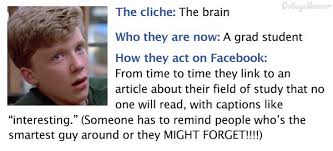 If that isn’t enough, there are many Facebook games that involve "liking" someone's status. Games like "Truth Is", where someone likes a status update and in return the poster writes how they really feel about the friend on their Facebook wall. This can get touchy, especially if the two people aren't friends outside of Facebook. It's similar to high school where someone desperately wants another person to like them, but when they find out how that person really feels they are crushed.
Relationships Are Difficult to Keep Private
When someone signs up for Facebook they’re asked to complete their profile, which includes a relationship section. Users can select from different options including "single", "married", "widowed", and "divorced". Whenever someone changes their relationship status, the update shows up on each of their friend's news feeds.
It's easy to see how this feature correlates with high school where everyone talks about who is dating who or which couple broke up. It used to be that after graduation, people were able to keep their relationships more to themselves. Not so anymore in the age of social media. Now everyone has the ability to state their opinion on a friend's relationship status, either by "liking" their status change or by commenting on it.
 Facebook has presented many benefits to its users, including the ability to rekindle old high school friendships. What one must understand when they sign up for the service is that they are opening themselves up to the same criticism and drama that takes place in a high school setting.
Proceed with caution!
Facebook has recently released a collection of C++ software modules that it uses to run the popular website. With Facebook releasing Folly (the name it designated for the collection), more of the internal programs could become open source since they need different parts of the collection.
Jordan DeLong, a Facebook software engineer, said one concerning holdup to releasing additional work is that any open source project had to cut away from the dependencies on non-released internal collection code.
It is said that spoken languages shape thoughts by their inclusion and exclusion of concepts, and by structuring them in different ways. Similarly, programming languages shape solutions by making some tasks easier and others less aesthetic. Using F# instead of C# reshapes software projects in ways that prefer certain development styles and outcomes, changing what is possible and how it is achieved.
F# is a functional language from Microsoft's research division. While once relegated to the land of impractical academia, the principles espoused by functional programming are beginning to garner mainstream appeal.
As its name implies, functions are first-class citizens in functional programming. Blocks of code can be stored in variables, passed to other functions, and infinitely composed into higher-order functions, encouraging cleaner abstractions and easier testing. While it has long been possible to store and pass code, F#'s clean syntax for higher-order functions encourages them as a solution to any problem seeking an abstraction.
F# also encourages immutability. Instead of maintaining state in variables, functional programming with F# models programs as a series of functions converting inputs to outputs. While this introduces complications for those used to imperative styles, the benefits of immutability mesh well with many current developments best practices.
For instance, if functions are pure, handling only immutable data and exhibiting no side effects, then testing is vastly simplified. It is very easy to test that a specific block of code always returns the same value given the same inputs, and by modeling code as a series of immutable functions, it becomes possible to gain a deep and highly precise set of guarantees that software will behave exactly as written.
Further, if execution flow is exclusively a matter of routing function inputs to outputs, then concurrency is vastly simplified. By shifting away from mutable state to immutable functions, the need for locks and semaphores is vastly reduced if not entirely eliminated, and multi-processor development is almost effortless in many cases.
Type inference is another powerful feature of many functional languages. It is often unnecessary to specify argument and return types, since any modern compiler can infer them automatically. F# brings this feature to most areas of the language, making F# feel less like a statically-typed language and more like Ruby or Python. F# also eliminates noise like braces, explicit returns, and other bits of ceremony that make languages feel cumbersome.
Functional programming with F# makes it possible to write concise, easily testable code that is simpler to parallelize and reason about. However, strict functional styles often require imperative developers to learn new ways of thinking that are not as intuitive. Fortunately, F# makes it possible to incrementally change habits over time. Thanks to its hybrid object-oriented and functional nature, and its clean interoperability with the .net platform, F# developers can gradually shift to a more functional mindset while still using the algorithms and libraries with which they are most familiar.
Related F# Resources:
This section of our beginning python training class always stumps students. Firstly, because they need to know the difference between a function and a method. Secondly, they need to understand object oriented programming concepts. Thirdly, they need to realize that python has three types of methods. Then they need to know how to use each method, which means they need to know the purpose of each method type. Then they have to understand mutable versus non-mutable types. The list goes on. As part of our python tutorial, I hope to shed some light on this confusing topic.
To begin, the difference between a function and a method in python is that a method is defined within a class. Here is an illustration:
#function

	def greeting():
	                print "Hello, I hope you're having a great day!"

	class HSGPrinter(object):
	                #method
	                def greeting(self):
	                                print "Hello, I hope you're having a great day!"
As should be obvious, the second definition of greeting is encapsulated within the HSGPrinter class and is , therefore, refered to as a method.
The astute reader will notice that the greeting method contains one parameter named self. For those who know C++ , Java or C#, self is equivalent to this i.e. it is a reference to the invoking object:
Tech Life in Georgia
| Company Name | City | Industry | Secondary Industry |
|---|---|---|---|
| BlueLinx Corporation | Atlanta | Real Estate and Construction | Construction Equipment and Supplies |
| Equifax, Inc. | Atlanta | Business Services | Business Services Other |
| Asbury Automotive Group, Inc. | Duluth | Retail | Automobile Dealers |
| Flowers Foods, Inc. | Thomasville | Manufacturing | Food and Dairy Product Manufacturing and Packaging |
| Graphic Packaging Holding Company | Marietta | Manufacturing | Paper and Paper Products |
| NCR Corporation | Duluth | Computers and Electronics | Networking Equipment and Systems |
| Genuine Parts Company | Atlanta | Wholesale and Distribution | Automobile Parts Wholesalers |
| Delta Air Lines, Inc. | Atlanta | Travel, Recreation and Leisure | Passenger Airlines |
| Carter's Inc | Atlanta | Manufacturing | Textiles, Apparel and Accessories |
| Mohawk Industries, Inc. | Calhoun | Manufacturing | Textiles, Apparel and Accessories |
| Synovus Financial Corp. | Columbus | Financial Services | Investment Banking and Venture Capital |
| Home Depot USA , Inc | Atlanta | Retail | Hardware and Building Material Dealers |
| Global Payments Inc. | Atlanta | Financial Services | Financial Services Other |
| AGL Resources, Inc. | Atlanta | Energy and Utilities | Gas and Electric Utilities |
| ROCK-TENN COMPANY | Norcross | Manufacturing | Paper and Paper Products |
| Southern Company | Atlanta | Energy and Utilities | Gas and Electric Utilities |
| AGCO Corporation | Duluth | Manufacturing | Farming and Mining Machinery and Equipment |
| First Data Corporation | Atlanta | Financial Services | Credit Cards and Related Services |
| Acuity Brands, Inc. | Atlanta | Retail | Retail Other |
| Exide Technologies | Milton | Manufacturing | Manufacturing Other |
| TSYS Corporation | Columbus | Financial Services | Financial Services Other |
| SunTrust Banks, Inc. | Atlanta | Financial Services | Banks |
| The Coca-Cola Company | Atlanta | Manufacturing | Nonalcoholic Beverages |
| United Parcel Service, Inc. - UPS | Atlanta | Transportation and Storage | Postal, Express Delivery, and Couriers |
| AFLAC Incorporated | Columbus | Financial Services | Insurance and Risk Management |
| Newell Rubbermaid Inc. | Atlanta | Manufacturing | Paper and Paper Products |
training details locations, tags and why hsg
The Hartmann Software Group understands these issues and addresses them and others during any training engagement. Although no IT educational institution can guarantee career or application development success, HSG can get you closer to your goals at a far faster rate than self paced learning and, arguably, than the competition. Here are the reasons why we are so successful at teaching:
- Learn from the experts.
- We have provided software development and other IT related training to many major corporations in Georgia since 2002.
- Our educators have years of consulting and training experience; moreover, we require each trainer to have cross-discipline expertise i.e. be Java and .NET experts so that you get a broad understanding of how industry wide experts work and think.
- Discover tips and tricks about Microsoft SQL Server programming
- Get your questions answered by easy to follow, organized Microsoft SQL Server experts
- Get up to speed with vital Microsoft SQL Server programming tools
- Save on travel expenses by learning right from your desk or home office. Enroll in an online instructor led class. Nearly all of our classes are offered in this way.
- Prepare to hit the ground running for a new job or a new position
- See the big picture and have the instructor fill in the gaps
- We teach with sophisticated learning tools and provide excellent supporting course material
- Books and course material are provided in advance
- Get a book of your choice from the HSG Store as a gift from us when you register for a class
- Gain a lot of practical skills in a short amount of time
- We teach what we know…software
- We care…