
Microsoft Windows Server Training Classes in Nashville, Tennessee
Learn Microsoft Windows Server in Nashville, Tennessee and surrounding areas via our hands-on, expert led courses. All of our classes either are offered on an onsite, online or public instructor led basis. Here is a list of our current Microsoft Windows Server related training offerings in Nashville, Tennessee: Microsoft Windows Server Training
Microsoft Windows Server Training Catalog
Course Directory [training on all levels]
- .NET Classes
- Agile/Scrum Classes
- AI Classes
- Ajax Classes
- Android and iPhone Programming Classes
- Azure Classes
- Blaze Advisor Classes
- C Programming Classes
- C# Programming Classes
- C++ Programming Classes
- Cisco Classes
- Cloud Classes
- CompTIA Classes
- Crystal Reports Classes
- Data Classes
- Design Patterns Classes
- DevOps Classes
- Foundations of Web Design & Web Authoring Classes
- Git, Jira, Wicket, Gradle, Tableau Classes
- IBM Classes
- Java Programming Classes
- JBoss Administration Classes
- JUnit, TDD, CPTC, Web Penetration Classes
- Linux Unix Classes
- Machine Learning Classes
- Microsoft Classes
- Microsoft Development Classes
- Microsoft SQL Server Classes
- Microsoft Team Foundation Server Classes
- Microsoft Windows Server Classes
- Oracle, MySQL, Cassandra, Hadoop Database Classes
- Perl Programming Classes
- Python Programming Classes
- Ruby Programming Classes
- SAS Classes
- Security Classes
- SharePoint Classes
- SOA Classes
- Tcl, Awk, Bash, Shell Classes
- UML Classes
- VMWare Classes
- Web Development Classes
- Web Services Classes
- Weblogic Administration Classes
- XML Classes
- RED HAT ENTERPRISE LINUX SYSTEMS ADMIN I
26 October, 2026 - 30 October, 2026 - DOCKER WITH KUBERNETES ADMINISTRATION
30 November, 2026 - 4 December, 2026 - RED HAT ENTERPRISE LINUX AUTOMATION WITH ANSIBLE
9 November, 2026 - 12 November, 2026 - ASP.NET Core MVC, Rev. 8.0
19 October, 2026 - 20 October, 2026 - RED HAT ENTERPRISE LINUX SYSTEMS ADMIN II
2 November, 2026 - 5 November, 2026 - See our complete public course listing
Blog Entries publications that: entertain, make you think, offer insight
You may use the camera application on a regular basis. Taking photos of family gatherings, of the scenery around you, or just a self-photo with you and your friends. But, as you may find out, pressing that picture button on the screen is not the easiest thing to do. You may not hit it when you attempt to press it, or you aren’t sure if you pressed it at all.
In a recent update by Apple, the iPhone can now take photos without the use of that button. Although you may continue to use it, an easier method to take photos would definitely be pressing your volume buttons. When you have everyone situated, and ready to take a picture, you don’t have to move your finger over to the camera button. Just put your finger on one of the volume keys on the left hand side of your phone, and press it, and your iPhone should take the picture! It’s just that easy.
I will begin our blog on Java Tutorial with an incredibly important aspect of java development: memory management. The importance of this topic should not be minimized as an application's performance and footprint size are at stake.
From the outset, the Java Virtual Machine (JVM) manages memory via a mechanism known as Garbage Collection (GC). The Garbage collector
- Manages the heap memory. All obects are stored on the heap; therefore, all objects are managed. The keyword, new, allocates the requisite memory to instantiate an object and places the newly allocated memory on the heap. This object is marked as live until it is no longer being reference.
- Deallocates or reclaims those objects that are no longer being referened.
- Traditionally, employs a Mark and Sweep algorithm. In the mark phase, the collector identifies which objects are still alive. The sweep phase identifies objects that are no longer alive.
- Deallocates the memory of objects that are not marked as live.
- Is automatically run by the JVM and not explicitely called by the Java developer. Unlike languages such as C++, the Java developer has no explict control over memory management.
- Does not manage the stack. Local primitive types and local object references are not managed by the GC.
So if the Java developer has no control over memory management, why even worry about the GC? It turns out that memory management is an integral part of an application's performance, all things being equal. The more memory that is required for the application to run, the greater the likelihood that computational efficiency suffers. To that end, the developer has to take into account the amount of memory being allocated when writing code. This translates into the amount of heap memory being consumed.
Memory is split into two types: stack and heap. Stack memory is memory set aside for a thread of execution e.g. a function. When a function is called, a block of memory is reserved for those variables local to the function, provided that they are either a type of Java primitive or an object reference. Upon runtime completion of the function call, the reserved memory block is now available for the next thread of execution. Heap memory, on the otherhand, is dynamically allocated. That is, there is no set pattern for allocating or deallocating this memory. Therefore, keeping track or managing this type of memory is a complicated process. In Java, such memory is allocated when instantiating an object:
String s = new String();  // new operator being employed
String m = "A String";    /* object instantiated by the JVM and then being set to a value.  The JVM
calls the new operator */
Jeff Nelson, a former Googler and inventor of Chromebook says on Quora, “One habit I've clung to is writing small prototypes when I'm trying to learn new concepts.
For example, I'll sit down with a book or a web page, and over the course of a few hours, write 30 or 40 programs all of them only a few dozen lines long. Each program intended to demonstrate some simple concept. This prototyping makes it very easy to try out many concepts in a short period of time.”
Miguel Paraz, Software Engineering Student habit is to “keep a log in a text file or document on my work computer. Before trying to solve a problem, I write it down first. And then I describe the details as they happen.”
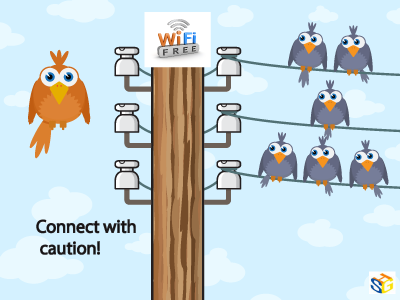
As much as we love to assume free Wi-Fi is secure, this is far from the truth. Because you are attaching to a service many others are connected to as well, without security measures, your device can be hacked, especially if the network is unencrypted. Because this encryption involves handing out a 26-character hexadecimal key to every individual wanting to use that network, most places opt for ease of access over security. And even with a secure network, your information is vulnerable to everyone else who has the password and is on the network.
This may not seem like such a big deal and many people don’t believe they have anything to hide on their personal devices, but remember what you use on those devices. Chances are your e-mail is attached as well as all other social media sites. You may have apps that track your finances or private messages to certain others that you would never want anyone else to see. Luckily, there are steps that can be taken to reduce and prevent any unwanted information grabbers from accessing your personal information.
To start, go through your computer’s settings in order to verify your operating system’s security functions are all set to offer the highest protection. Open up the Control Panel and double check that your Firewall is enabled for both private and public networks. Then, go to Network and Sharing to open Change advanced sharing settings. In here, you can turn off file and printer sharing and network discovery for public networks.
One of the most important things to watch for is HTTPS. Hypertext Transfer Protocol Secure ensures secure communication across the web. Many of the major email systems use this when you log in (as another layer of password protection) but drop the security as soon as the login is complete. To keep this going, HTTPS Everywhere is a browser extension that gives you a secure connection when browsing some of the more popular sites. It can also be programmed for other sites you like to visit that don’t use HTTPS.
Not every place on the internet provides the choice of HTTPS, and VPNs are there to fill in the security gap. Virtual Private Networks allows data to be sent and received through public access points as if it were directly connected to a secure network. Many businesses offer this for company devices, but if you are an individual looking for that kind of security, ProXPN is a free version that can be upgraded. Unfortunately, it limits your speed, but other choices include VPNBook, OpenVPN Shield Exchange, and OkayFreedom.
With these three steps implemented, secure public Wi-Fi can be achieved. No longer will you have to worry about connecting in an unsure environment with strangers, never knowing if your information is being stolen. With all of the options free of charge, it is also an affordable means of protecting yourself that only takes a little time and effort to implement and guarantee safety.
Net Neutrality for the Layperson
What are a few unique pieces of career advice that nobody ever mentions?
Tech Life in Tennessee
| Company Name | City | Industry | Secondary Industry |
|---|---|---|---|
| First Horizon National Corporation | Memphis | Financial Services | Lending and Mortgage |
| Vanguard Health Systems, Inc. | Nashville | Healthcare, Pharmaceuticals and Biotech | Hospitals |
| The ServiceMaster Company | Memphis | Consumer Services | Consumer Services Other |
| Eastman Chemical Company | Kingsport | Manufacturing | Chemicals and Petrochemicals |
| Brookdale Senior Living, Inc. | Brentwood | Healthcare, Pharmaceuticals and Biotech | Residential and Long-Term Care Facilities |
| Scripps Networks Interactive | Knoxville | Media and Entertainment | Radio and Television Broadcasting |
| Dollar General Corporation | Goodlettsville | Retail | Retail Other |
| IASIS Healthcare Corporation | Franklin | Healthcare, Pharmaceuticals and Biotech | Hospitals |
| Thomas and Betts Corporation | Memphis | Energy and Utilities | Gas and Electric Utilities |
| Tractor Supply Company, Inc. | Brentwood | Retail | Clothing and Shoes Stores |
| TeamHealth, Inc. | Knoxville | Healthcare, Pharmaceuticals and Biotech | Doctors and Health Care Practitioners |
| UNIVERSITY HEALTH SYSTEM, INC. | Knoxville | Healthcare, Pharmaceuticals and Biotech | Hospitals |
| Corrections Corporation of America | Nashville | Business Services | Security Services |
| AutoZone, Inc. | Memphis | Retail | Automobile Parts Stores |
| Mueller Industries, Inc. | Memphis | Manufacturing | Metals Manufacturing |
| UNUM Group | Chattanooga | Financial Services | Insurance and Risk Management |
| Fred's, Inc. | Memphis | Retail | Grocery and Specialty Food Stores |
| International Paper Company | Memphis | Manufacturing | Paper and Paper Products |
| Regal Entertainment Group | Knoxville | Media and Entertainment | Motion Picture and Recording Producers |
| Genesco Inc. | Nashville | Wholesale and Distribution | Apparel Wholesalers |
| Cracker Barrel Old Country Store, Inc. | Lebanon | Retail | Restaurants and Bars |
| Lifepoint Hospitals Inc. | Brentwood | Healthcare, Pharmaceuticals and Biotech | Hospitals |
| FedEx Corporation | Memphis | Transportation and Storage | Postal, Express Delivery, and Couriers |
| Community Health Systems | Franklin | Healthcare, Pharmaceuticals and Biotech | Hospitals |
| HCA Holdings, Inc. | Nashville | Healthcare, Pharmaceuticals and Biotech | Hospitals |
| HealthSpring Inc. | Franklin | Healthcare, Pharmaceuticals and Biotech | Healthcare, Pharmaceuticals, and Biotech Other |
training details locations, tags and why hsg
The Hartmann Software Group understands these issues and addresses them and others during any training engagement. Although no IT educational institution can guarantee career or application development success, HSG can get you closer to your goals at a far faster rate than self paced learning and, arguably, than the competition. Here are the reasons why we are so successful at teaching:
- Learn from the experts.
- We have provided software development and other IT related training to many major corporations in Tennessee since 2002.
- Our educators have years of consulting and training experience; moreover, we require each trainer to have cross-discipline expertise i.e. be Java and .NET experts so that you get a broad understanding of how industry wide experts work and think.
- Discover tips and tricks about Microsoft Windows Server programming
- Get your questions answered by easy to follow, organized Microsoft Windows Server experts
- Get up to speed with vital Microsoft Windows Server programming tools
- Save on travel expenses by learning right from your desk or home office. Enroll in an online instructor led class. Nearly all of our classes are offered in this way.
- Prepare to hit the ground running for a new job or a new position
- See the big picture and have the instructor fill in the gaps
- We teach with sophisticated learning tools and provide excellent supporting course material
- Books and course material are provided in advance
- Get a book of your choice from the HSG Store as a gift from us when you register for a class
- Gain a lot of practical skills in a short amount of time
- We teach what we know…software
- We care…