
Microsoft Office Training Classes in Tacoma, Washington
Learn Microsoft Office in Tacoma, Washington and surrounding areas via our hands-on, expert led courses. All of our classes either are offered on an onsite, online or public instructor led basis. Here is a list of our current Microsoft Office related training offerings in Tacoma, Washington: Microsoft Office Training
Microsoft Office Training Catalog
subcategories
Business Analysis Classes
Course Directory [training on all levels]
- .NET Classes
- Agile/Scrum Classes
- AI Classes
- Ajax Classes
- Android and iPhone Programming Classes
- Azure Classes
- Blaze Advisor Classes
- C Programming Classes
- C# Programming Classes
- C++ Programming Classes
- Cisco Classes
- Cloud Classes
- CompTIA Classes
- Crystal Reports Classes
- Data Classes
- Design Patterns Classes
- DevOps Classes
- Foundations of Web Design & Web Authoring Classes
- Git, Jira, Wicket, Gradle, Tableau Classes
- IBM Classes
- Java Programming Classes
- JBoss Administration Classes
- JUnit, TDD, CPTC, Web Penetration Classes
- Linux Unix Classes
- Machine Learning Classes
- Microsoft Classes
- Microsoft Development Classes
- Microsoft SQL Server Classes
- Microsoft Team Foundation Server Classes
- Microsoft Windows Server Classes
- Oracle, MySQL, Cassandra, Hadoop Database Classes
- Perl Programming Classes
- Python Programming Classes
- Ruby Programming Classes
- SAS Classes
- Security Classes
- SharePoint Classes
- SOA Classes
- Tcl, Awk, Bash, Shell Classes
- UML Classes
- VMWare Classes
- Web Development Classes
- Web Services Classes
- Weblogic Administration Classes
- XML Classes
- DOCKER WITH KUBERNETES ADMINISTRATION
30 November, 2026 - 4 December, 2026 - RED HAT ENTERPRISE LINUX SYSTEMS ADMIN II
2 November, 2026 - 5 November, 2026 - OPENSHIFT ADMINISTRATION
19 October, 2026 - 21 October, 2026 - AWS Certified Machine Learning: Specialty (MLS-C01)
2 November, 2026 - 6 November, 2026 - RED HAT ENTERPRISE LINUX AUTOMATION WITH ANSIBLE
9 November, 2026 - 12 November, 2026 - See our complete public course listing
Blog Entries publications that: entertain, make you think, offer insight
How Can Managers Work More Efficiently with IT?
Would you rather work under someone who is an excellent developer but lacks people skills or leadership capabilities - or for someone that has excellent people skills, communicates well, and is a great leader but has limited understanding of productive coding practices? That’s not to say that the choice is one or the other but in many professional situations it does.
Managing an IT staff comes with numerous challenges, especially if the manager has no previous experience with the coding necessary for completing the project. Managing a business and IT's execution of tasks vary greatly in required skill sets, but it's important to find a cohesive and cooperative middle ground in order to see a project to its end. To fully grasp the intricacies of IT's involvement in the project at hand, managers can do the following to help further their efforts.
Get a basic understanding of coding and technical practices necessary for the project at hand by taking the time to research and practice enough to get a grip on the concept. This will allow managers insight on what their IT folks are really working on daily. Expertise in a programming language is not required, only an overview of the stuff that matters, i.e. understanding the concept of OOP (Object Oriented Programming.) Having this knowledge cannot be overlooked and will gain respect among multiple spectrums in the organization.
There has been and continues to be a plethora of observational studies by different researchers in the publishing industry focused on how e-books have affected hard-copy book sales. Evidence from these studies has indicated that there is a significant and monumental shift away from hard-copy books to e-books.[1]These findings precipitate fears that hard-copy books might become more expensive in the near future as they begin to be less available. This scenario could escalate to the point where only collectors of hard-copy books are willing to pay the high price for ownership.
The founder of Amazon, Jeff Bezos, made a statement in July 2010 that sales of digital books had significantly outstripped U.S. sales of hard-copy. He claimed that Amazon had sold 143 digital books for its e-reader, the Kindle, for every 100 hard-back books over the past three months. The pace of this change was unprecedented; Amazon said that in the four weeks of June 2010, the rate of sales had reached 180 e-books for every 100 hard-backs sold. Bezos said sales of the Kindle and e-books had reached a "tipping point", with five authors including Steig Larsson, the writer of Girl with a Dragon Tattoo, and Stephenie Meyer, who penned the Twilight series, each selling more than 500,000 digital books.[2] Earlier in July 2010, Hachette said that James Patterson had sold 1.1m e-books to date.
According to a report made by Publishers Weekly, for the first quarter of 2011, e-book sales were up 159.8%; netting sales of $233.1 million. Although adult hard-cover and mass market paperback hard-copies had continued to sell, posting gains in March, all the print segments had declined for the first quarter with the nine mass market houses that report sales. Their findings revealed a 23.4% sales decline, and that children’s paper-back publishers had also declined by 24.1%.[3] E-book sales easily out-distanced mass market paperback sales in the first quarter of 2011 with mass market sales of hard-copy books falling to $123.3 million compared to e-books’ $233.1 million in sales.
According to .net sales report by the March Association of American Publishers (AAP) which collected data and statistics from 1,189 publishers, the adult e-Book sales were $282.3 million in comparison to adult hard-cover book sales which counted $229.6 million during the first quarter of 2012. During the same period in 2011, eBooks revenues were $220.4 million.[4] These reports indicate a disconcerting diminishing demand for hard-copy books.
From Brennan's Blog which is no longer up and running:
I use Remote Desktop all the time to work inside of my development systems hosted by Microsoft Virtual Server. I use the host system to browse the web for documentation and searches as I work and when I need to copy some text from the web browser I find many times the link between the host clipboard and the remote clipboard is broken. In the past I have read that somehow the remote clipboard utility, rdpclip.exe, gets locked and no longer allows the clipboard to be relayed between the host and the client environment. My only way to deal with it was to use the internet clipboard, cl1p.net. I would create my own space and use it to send content between environments. But that is a cumbersome step if you are doing it frequently.
The only way I really knew to fix the clipboard transfer was to close my session and restart it. That meant closing the tools I was using like Visual Studio, Management Studio and the other ancillary processes I have running as I work and then restarting all of it just to restore the clipboard. But today I found a good link on the Terminal Services Blog explaining that what is really happening. The clipboard viewer chain is somehow becoming unresponsive on the local or remote system and events on the clipboards are not being relayed between systems. It is not necessarily a lock being put in place but some sort of failed data transmission. It then goes on to explain the 2 steps you can take to restore the clipboard without restarting your session.
- Use Task Manager to kill the rdpclip.exe process
- Run rdpclip.exe to restart it
The clipboard communications should be restored. My clipboard is currently working because I just restarted my session to fix it, but I wanted to test these steps. I killed rdpclip.exe and started it and was able to copy/paste from the remote to the host system. The next time my clipboard dies I will have to check to see if these steps truly do work.
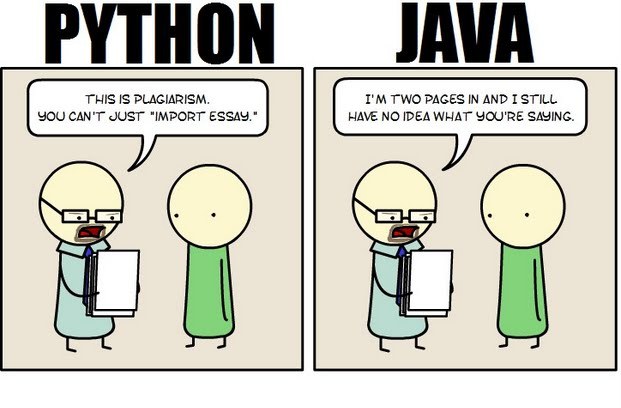 Java still has its place in the world of software development, but is it quickly becoming obsolete by the more dynamically enabled Python programming language? The issue is hotly contested by both sides of the debate. Java experts point out that Java is still being developed with more programmer friendly updates. Python users swear that Java can take up to ten times longer to develop. Managers that need to make the best decision for a company need concrete information so that an informed and rational decision can be made.
First, Java is a static typed language while Python is dynamically typed. Static typed languages require that each variable name must be tied to both a type and an object. Dynamically typed languages only require that a variable name only gets bound to an object. Immediately, this puts Python ahead of the game in terms of productivity since a static typed language requires several elements and can make errors in coding more likely.
Python uses a concise language while Java uses verbose language. Concise language, as the name suggests, gets straight to the point without extra words. Removing additional syntax can greatly reduce the amount of time required to program. A simple call in Java, such as the ever notorious "Hello, World" requires three several lines of coding while Python requires a single sentence. Java requires the use of checked exceptions. If the exceptions are not caught or thrown out then the code fails to compile. In terms of language, Python certainly has surpassed Java in terms of brevity.
Additionally, while Java's string handling capabilities have improved they haven't yet matched the sophistication of Python's. Web applications rely upon fast load times and extraneous code can increase user wait time. Python optimizes code in ways that Java doesn't, and this can make Python a more efficient language. However, Java does run faster than Python and this can be a significant advantage for programmers using Java. When you factor in the need for a compiler for Java applications the speed factor cancels itself out leaving Python and Java at an impasse.
While a programmer will continue to argue for the language that makes it easiest based on the programmer's current level of knowledge, new software compiled with Python takes less time and provides a simplified coding language that reduces the chance for errors. When things go right, Java works well and there are no problems. However, when errors get introduced into the code, it can become extremely time consuming to locate and correct those errors. Python generally uses less code to begin with and makes it easier and more efficient to work with.
Ultimately, both languages have their own strengths and weaknesses. For creating simple applications, Python provides a simpler and more effective application. Larger applications can benefit from Java and the verbosity of the code actually makes it more compatible with future versions. Python code has been known to break with new releases. Ultimately, Python works best as a type of connecting language to conduct quick and dirty work that would be too intensive when using Java alone. In this sense, Java is a low-level implementation language. While both languages are continuing to develop, it's unlikely that one language will surpass the other for all programming needs in the near future.
Tech Life in Washington
| Company Name | City | Industry | Secondary Industry |
|---|---|---|---|
| Symetra Financial Corporation | Bellevue | Financial Services | Insurance and Risk Management |
| Alaska Air Group, Inc. | Seattle | Travel, Recreation and Leisure | Passenger Airlines |
| Expedia, Inc. | Bellevue | Travel, Recreation and Leisure | Travel Agents & Services |
| Itron, Inc. | Liberty Lake | Computers and Electronics | Instruments and Controls |
| PACCAR Inc. | Bellevue | Manufacturing | Automobiles, Boats and Motor Vehicles |
| Puget Sound Energy Inc | Bellevue | Energy and Utilities | Gas and Electric Utilities |
| Expeditors International of Washington, Inc. | Seattle | Transportation and Storage | Freight Hauling (Rail and Truck) |
| Costco Wholesale Corporation | Issaquah | Retail | Grocery and Specialty Food Stores |
| Starbucks Corporation | Seattle | Retail | Restaurants and Bars |
| Nordstrom, Inc. | Seattle | Retail | Department Stores |
| Weyerhaeuser Company | Federal Way | Manufacturing | Paper and Paper Products |
| Microsoft Corporation | Redmond | Software and Internet | Software |
| Amazon.com, Inc. | Seattle | Retail | Sporting Goods, Hobby, Book, and Music Stores |
training details locations, tags and why hsg
The Hartmann Software Group understands these issues and addresses them and others during any training engagement. Although no IT educational institution can guarantee career or application development success, HSG can get you closer to your goals at a far faster rate than self paced learning and, arguably, than the competition. Here are the reasons why we are so successful at teaching:
- Learn from the experts.
- We have provided software development and other IT related training to many major corporations in Washington since 2002.
- Our educators have years of consulting and training experience; moreover, we require each trainer to have cross-discipline expertise i.e. be Java and .NET experts so that you get a broad understanding of how industry wide experts work and think.
- Discover tips and tricks about Microsoft Office programming
- Get your questions answered by easy to follow, organized Microsoft Office experts
- Get up to speed with vital Microsoft Office programming tools
- Save on travel expenses by learning right from your desk or home office. Enroll in an online instructor led class. Nearly all of our classes are offered in this way.
- Prepare to hit the ground running for a new job or a new position
- See the big picture and have the instructor fill in the gaps
- We teach with sophisticated learning tools and provide excellent supporting course material
- Books and course material are provided in advance
- Get a book of your choice from the HSG Store as a gift from us when you register for a class
- Gain a lot of practical skills in a short amount of time
- We teach what we know…software
- We care…