
Android and iPhone Programming Training Classes in Lake Charles, Louisiana
Learn Android and iPhone Programming in Lake Charles, Louisiana and surrounding areas via our hands-on, expert led courses. All of our classes either are offered on an onsite, online or public instructor led basis. Here is a list of our current Android and iPhone Programming related training offerings in Lake Charles, Louisiana: Android and iPhone Programming Training
Android and iPhone Programming Training Catalog
Course Directory [training on all levels]
- .NET Classes
- Agile/Scrum Classes
- AI Classes
- Ajax Classes
- Android and iPhone Programming Classes
- Azure Classes
- Blaze Advisor Classes
- C Programming Classes
- C# Programming Classes
- C++ Programming Classes
- Cisco Classes
- Cloud Classes
- CompTIA Classes
- Crystal Reports Classes
- Data Classes
- Design Patterns Classes
- DevOps Classes
- Foundations of Web Design & Web Authoring Classes
- Git, Jira, Wicket, Gradle, Tableau Classes
- IBM Classes
- Java Programming Classes
- JBoss Administration Classes
- JUnit, TDD, CPTC, Web Penetration Classes
- Linux Unix Classes
- Machine Learning Classes
- Microsoft Classes
- Microsoft Development Classes
- Microsoft SQL Server Classes
- Microsoft Team Foundation Server Classes
- Microsoft Windows Server Classes
- Oracle, MySQL, Cassandra, Hadoop Database Classes
- Perl Programming Classes
- Python Programming Classes
- Ruby Programming Classes
- SAS Classes
- Security Classes
- SharePoint Classes
- SOA Classes
- Tcl, Awk, Bash, Shell Classes
- UML Classes
- VMWare Classes
- Web Development Classes
- Web Services Classes
- Weblogic Administration Classes
- XML Classes
- DOCKER WITH KUBERNETES ADMINISTRATION
30 November, 2026 - 4 December, 2026 - AWS Certified Machine Learning: Specialty (MLS-C01)
2 November, 2026 - 6 November, 2026 - RED HAT ENTERPRISE LINUX SYSTEMS ADMIN I
26 October, 2026 - 30 October, 2026 - RED HAT ENTERPRISE LINUX SYSTEMS ADMIN II
2 November, 2026 - 5 November, 2026 - ASP.NET Core MVC, Rev. 8.0
19 October, 2026 - 20 October, 2026 - See our complete public course listing
Blog Entries publications that: entertain, make you think, offer insight
 When asked for my pearls of wisdom on this topic, I was tempted to respond with the excuse: "Sorry, can't comment. My asbestos underwear is out for dry-cleaning."
It seems both the emotions and mis-information surrounding HTML 5 run high.
And some information is just plain scary. Consider this direct quote from the W3C.
"The following elements are not in HTML5 because using them damages usability and accessibility:
Let’s face it, fad or not, companies are starting to ask themselves how they could possibly use machine learning and AI technologies in their organization. Many are being lured by the promise of profits by discovering winning patterns with algorithms that will enable solid predictions… The reality is that most technology and business professionals do not have sufficient understanding of how machine learning works and where it can be applied. For a lot of firms, the focus still tends to be on small-scale changes instead of focusing on what really matters…tackling their approach to machine learning.
In the recent Wall Street Journal article, Machine Learning at Scale Remains Elusive for Many Firms, Steven Norton captures interesting comments from the industry’s data science experts. In the article, he quotes panelists from the MIT Digital Economy Conference in NYC, on businesses current practices with AI and machine learning. All agree on the fact that, for all the talk of Machine Learning and AI’s potential in the enterprise, many firms aren’t yet equipped to take advantage of it fully.
Panelist, Michael Chui, partner at McKinsey Global Institute states that “If a company just mechanically says OK, I’ll automate this little activity here and this little activity there, rather than re-thinking the entire process and how it can be enabled by technology, they usually get very little value out of it. “Few companies have deployed these technologies in a core business process or at scale.”
Panelist, Hilary Mason, general manager at Cloudera Inc., had this to say, “With very few exceptions, every company we work with wants to start with a cost-savings application of automation.” “Most organizations are not set up to do this well.”
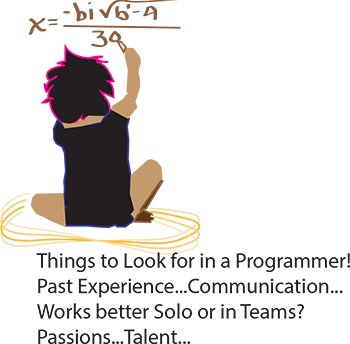 It’s the eternal conundrum of a hiring manager – you have to hire for every single position in the company without any first-hand experience. How to do it? If you can have a trusted programmer sit in on the interview, that’s ideal, of course. But what if you’re hiring your first programmer? Or what if you’re hiring a freelancer? Or what if company policy dictates that you’re the only person allowed to do the interviewing? Well, in that case, you need some helpful advice and your innate bullshit detector. We questioned programmers and hiring managers and compiled a list of dos and don’ts. Here are some things to ask when interviewing programmers:
Past Experience
Ask the programmer about the biggest disaster of his career so far, and how he handled it. Did he come in at midnight to fix the code? Was he unaware of the problem until someone brought it up? Did someone else handle it? According to our programmer sources, “Anyone worth their salt has caused a major meltdown. If they say they haven’t, they’re lying. Or very, very green.” Pushing a code with bugs in it isn’t necessarily bad. Not handling it well is bad.
As usual, your biggest asset is not knowing the field, it is knowing people. Asking about career disasters can be uncomfortable, but if the interviewee is experienced and honest then she won’t have a problem telling you about it, and you will get an idea of how she handles mishaps. Even if you don’t understand what the disaster was or how it was fixed, you should be able to tell how honest she’s being and how she handles being put on the spot.
Data has always been important to business. While it wasn't long ago that businesses kept minimal information on people who bought their products, nowadays companies keep vast amounts of data. In the late 20th century, marketers began to take demographics seriously. It was hard to keep track of so much information without the help of computers.
Only large companies in the '60s and '70s could afford the research necessary to deliver real marketing insight. The marketers of yesteryear relied upon focus groups and expensive experiments to gauge consumer behavior in a controlled environment. Today even the smallest of companies can have access to a rich array of real-world data about their consumers' behavior and their consumers. The amount of data that is stored today dwarfs the data of only a few years ago by several orders of magnitude.
So what kind of information are businesses storing for marketing purposes? Some examples include:
- Demographic information — age, gender, ethnicity, education, occupation and various other individual characteristics.
Tech Life in Louisiana
training details locations, tags and why hsg
The Hartmann Software Group understands these issues and addresses them and others during any training engagement. Although no IT educational institution can guarantee career or application development success, HSG can get you closer to your goals at a far faster rate than self paced learning and, arguably, than the competition. Here are the reasons why we are so successful at teaching:
- Learn from the experts.
- We have provided software development and other IT related training to many major corporations in Louisiana since 2002.
- Our educators have years of consulting and training experience; moreover, we require each trainer to have cross-discipline expertise i.e. be Java and .NET experts so that you get a broad understanding of how industry wide experts work and think.
- Discover tips and tricks about Android and iPhone Programming programming
- Get your questions answered by easy to follow, organized Android and iPhone Programming experts
- Get up to speed with vital Android and iPhone Programming programming tools
- Save on travel expenses by learning right from your desk or home office. Enroll in an online instructor led class. Nearly all of our classes are offered in this way.
- Prepare to hit the ground running for a new job or a new position
- See the big picture and have the instructor fill in the gaps
- We teach with sophisticated learning tools and provide excellent supporting course material
- Books and course material are provided in advance
- Get a book of your choice from the HSG Store as a gift from us when you register for a class
- Gain a lot of practical skills in a short amount of time
- We teach what we know…software
- We care…