
Linux Unix Training Classes in Arlington, Virginia
Learn Linux Unix in Arlington, Virginia and surrounding areas via our hands-on, expert led courses. All of our classes either are offered on an onsite, online or public instructor led basis. Here is a list of our current Linux Unix related training offerings in Arlington, Virginia: Linux Unix Training
| Enterprise Linux System Administration Training/Class | 21 September, 2026 - 25 September, 2026 | $2190 |  |
| Linux Fundaments GL120 Training/Class | 14 September, 2026 - 18 September, 2026 | $2250 | |
| OPENSHIFT ADMINISTRATION Training/Class | 19 October, 2026 - 21 October, 2026 | $2090 | |
| OpenShift Fundamentals Training/Class | 5 October, 2026 - 7 October, 2026 | $2250 | |
| RED HAT ENTERPRISE LINUX AUTOMATION WITH ANSIBLE Training/Class | 9 November, 2026 - 12 November, 2026 | $2735 | |
| RED HAT ENTERPRISE LINUX SYSTEMS ADMIN I Training/Class | 26 October, 2026 - 30 October, 2026 | $2250 | |
| RED HAT ENTERPRISE LINUX SYSTEMS ADMIN II Training/Class | 2 November, 2026 - 5 November, 2026 | $1890 | |
| DOCKER WITH KUBERNETES ADMINISTRATION Training/Class | 28 September, 2026 - 2 October, 2026 | $2490 | |
View all Scheduled Linux Unix Training Classes
Linux Unix Training Catalog
subcategories
DevOps Classes
Foundations of Web Design & Web Authoring Classes
Java Programming Classes
Course Directory [training on all levels]
- .NET Classes
- Agile/Scrum Classes
- AI Classes
- Ajax Classes
- Android and iPhone Programming Classes
- Azure Classes
- Blaze Advisor Classes
- C Programming Classes
- C# Programming Classes
- C++ Programming Classes
- Cisco Classes
- Cloud Classes
- CompTIA Classes
- Crystal Reports Classes
- Data Classes
- Design Patterns Classes
- DevOps Classes
- Foundations of Web Design & Web Authoring Classes
- Git, Jira, Wicket, Gradle, Tableau Classes
- IBM Classes
- Java Programming Classes
- JBoss Administration Classes
- JUnit, TDD, CPTC, Web Penetration Classes
- Linux Unix Classes
- Machine Learning Classes
- Microsoft Classes
- Microsoft Development Classes
- Microsoft SQL Server Classes
- Microsoft Team Foundation Server Classes
- Microsoft Windows Server Classes
- Oracle, MySQL, Cassandra, Hadoop Database Classes
- Perl Programming Classes
- Python Programming Classes
- Ruby Programming Classes
- SAS Classes
- Security Classes
- SharePoint Classes
- SOA Classes
- Tcl, Awk, Bash, Shell Classes
- UML Classes
- VMWare Classes
- Web Development Classes
- Web Services Classes
- Weblogic Administration Classes
- XML Classes
- DOCKER WITH KUBERNETES ADMINISTRATION
28 September, 2026 - 2 October, 2026 - Enterprise Linux System Administration
21 September, 2026 - 25 September, 2026 - RED HAT ENTERPRISE LINUX AUTOMATION WITH ANSIBLE
9 November, 2026 - 12 November, 2026 - Linux Fundaments GL120
14 September, 2026 - 18 September, 2026 - RED HAT ENTERPRISE LINUX SYSTEMS ADMIN II
2 November, 2026 - 5 November, 2026 - See our complete public course listing
Blog Entries publications that: entertain, make you think, offer insight

Recently, I asked my friend, Ray, to list those he believes are the top 10 most forward thinkers in the IT industry. Below is the list he generated.
Like most smart people, Ray gets his information from institutions such as the New York Times, the Wall Street Journal, the Huffington Post, Ted Talks ... Ray is not an IT expert; he is, however, a marketer: the type that has an opinion on everything and is all too willing to share it. Unfortunately, many of his opinions are based upon the writings/editorials of those attempting to appeal to the reading level of an 8th grader. I suppose it could be worse. He could be referencing Yahoo News, where important stories get priority placement such as when the voluptuous Kate Upton holds a computer close to her breasts.
Before you read further, note that missing from this list and not credited are innovators: Bill Joy, Dennis Ritchie, Linus Torvalds, Alan Turing, Edward Howard Armstrong, Peter Andreas Grunberg and Albert Fent, Gottfried Wilhelm Leibniz/Hermann Grassmann ... You know the type: the type of individual who burns the midnight oil and rarely, if ever, guffaws over their discoveries or achievements.
 Big data is now in an incredibly important part of how many major businesses function. Data analysis, or the finding of facts from large volumes of data, helps businesses make many of their important decisions. Companies that conduct business on a national or international scale rely on big data in order to plot the general direction of their business. The concept of big data can be very confusing due to the sheer scale of information involved. By following a few simple guidelines, even the layman can understand big data and its impacts on everyday life.
What Exactly is Big Data?
Just about everyone can understand the concept of data. Data is information, and information is everywhere in the modern world. Anytime you use any piece of technology you are making use of data. Anytime you read a book, skim the newspaper or listen to music you are also making use of data. Your brain interprets and organizes data constantly from your senses and your thoughts.
Big data, much like its name infers, simply describes this same data on a large sale. The internet allowed the streaming, sharing and collecting of data on a scale never before imaginable and storage technology has allowed ever increasing hoards of data to be accumulated. In order for something to be considered “big data” it must be at least 10 terabytes or more of information. To put that in perspective, consider that 10 terabytes represents the entire printed collection of material in the Library of Congress. What’s even more remarkable is that many businesses work with far more than the minimum 10 terabytes of data. UPS stores over 16 petabytes of data about its packages and customers. That’s 16,000 terabytes or the equivalent to 1,600 printed libraries of congress. The sheer amount of that data is nearly impossible for a human to comprehend, and analysis of this data is only possible with computers.
How do Big Data Companies Emerge?
All of this information comes from everywhere on the internet. The majority of the useful data includes customer information, search engine logs, and entries on social media networks to name a few. This data is constantly generated by the internet at insane rates. Specified computers and software programs are created and operated by big data companies that collect and sort this information. These programs and hardware are so sophisticated and so specialized that entire companies can be dedicated to analyzing this data and then selling it to other companies. The raw data is distilled down into manageable reports that company executives can make use of when handling business decisions.
The Top Five:
These are the five biggest companies, according to Forbes, in the business of selling either raw data reports or analytics programs that help companies to compile their own reports.
1. Splunk
Splunk is currently valued at $186 million. It is essentially a program service that allows companies to turn their own raw data collections into usable information.
2. Opera Solutions
Opera Solutions is valued at $118 million. It serves as a data science service that helps other companies to manage the raw data that pertains to them. They can offer either direct consultation or cloud-based service.
3. Mu Sigma
Mu Sigma is valued at $114 million. It is a slightly smaller version of Opera Solutions, offering essentially the same types of services.
4. Palantir
Palantir is valued at $78 million. It offers data analysis software to companies so they can manage their own raw data analysis.
5. Cloudera
Cloudera is valued at $61 million. It offers services, software and training specifically related to the Apahce Hadoop-based programs.
The software and services provided by these companies impact nearly all major businesses, industries and products. They impact what business offer, where they offer them and how they advertise them to consumers. Every advertisement, new store opening or creation of a new product is at least somewhat related to big data analysis. It is the directional force of modern business.
Sources:
http://www.sas.com/en_us/insights/big-data/what-is-big-data.html
http://www.forbes.com/sites/gilpress/2013/02/22/top-ten-big-data-pure-plays/
http://www.whatsabyte.com/
Related:
Top Innovative Open Source Projects Making Waves in The Technology World
Is the U.S. the Leading Software Development Country?
How to Keep On Top Of the Latest Trends in Information Technology
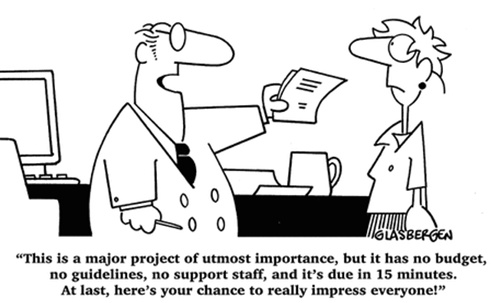 A project manager acts as the primary link between business and technical teams. A project manager is responsible for maintaining the project schedule, developing project estimates, working with external teams and tracking project issues. The project manager belongs to either the technical team or the project management office (PMO). The project manager works with business teams, technical teams, business counterparts, testing resources, vendors and infrastructure teams.
A project manager is often challenged with diagonally opposite views from the business side and technical side. A project manager’s success depends on balancing the needs and emotions of both sides.
Understanding the Requirements
A project manager must familiarize with the project’s requirements as defined by the business or product managers. This will help you understand the business vision behind the project. You will need this knowledge while negotiating with the technical teams.
Understanding the Technical Landscape
A project manager must also understand the technical systems, resource skills and infrastructure capabilities available for the project. Business teams come up with expectations that are sometimes beyond the capabilities of the technology team. It is the responsibility of the project manager to understand the technical capabilities available to the project.
Walkthrough of Business Requirements
This is a critical step in the project delivery process. The project manager must invite members from the business team, technical team, testing team, infrastructure team and vendors. The project manager must encourage the various stakeholders to ask questions about the requirements. Any prototypes available must be demonstrated in this meeting. The project manager must find answers to all questions resulting from the requirements walkthrough. The project manager must get the final version of the requirements approved by all stakeholders.
Managing Conflicts in Timelines and Budgets
All project managers will face the conflicts arising from shortened timelines and limited budgets. Business teams typically demand many features that are nearly impossible to deliver within short timeframes. The project manager must work with business and technical teams to prioritize the requirements. If the project is executed in a product development organization, then the project manager could utilize agile methodologies to deliver projects incrementally. In this case, the project manager may be required to act as a scrum master to facilitate scrum meetings between various stakeholders.
The Art of Saying “No”
As a project manager, you may be forced to say “no” to demands from both business and technology teams. However, it is important to create a win-win situation for all parties when you are faced with conflicting demands. You can work with the stakeholders individually before bringing all parties together. Most stakeholders prefer to work together. The success of a project manager depends on how effectively he or she can bring out the best in everyone, driving everyone towards a common goal.
Finally, the job of a project manager is not to satisfy the demands from all corners. The project manager must identify the essential deliverables that will meet the business needs, with a solid understanding of what is possible within the limits of technology.
Related:
 One of the biggest challenges faced by senior IT professionals in organizations is the choice of the right software vendor. In the highly competitive enterprise software industry, there are lot of vendors who claim to offer the best software for the problem and it can be really daunting to narrow down the best choice. Additionally, enterprise software costs can often run into millions of dollars thereby leaving very little margin of error. The real cost of choosing a wrong software can often result into losses much more than the cost of the software itself as highlighted by software disasters experienced by leading companies like HP, Nike etc. In such a scenario, senior IT professionals despite years of expertise can find it very difficult to choose the right business software vendor for their organization.
Here are some of the proven ways of short-listing and selecting the right business software vendor for your organization,
· Understand and Define The Exact Need First: Before embarking on a journey to select the software vendor, it is critical to understand and define the exact problem you want the software to solve. The paramount question to be asked is what business objective does the software need to solve. Is the software required to “reduce costs” or is it to “improve productivity”? Extracting and defining this fundamental question is the bare minimum but necessary step to go searching for the right vendor. It will then form the basis of comparing multiple vendors on this very need that your organization has and will help drive the selection process going forward. The detailed approach involves creating a set of parameters that the software needs to meet in order to be considered. In fact, consider categorizing these parameters further in “must-haves”, “good to have” etc. which will help you assign relevant weights to these parameter and how the software’s fare on each of these parameters
· Building The List of Vendors Who Meet The Need: Once you have defined your need and distilled that need into various parameters, it’s time to built the list of vendors who you think will meet the need. This is akin to a lead generation model wherein you want to identify a large enough pool and then filters your list down to the best ones. There are multiple ways of building a list of vendors and more often than not, you must use a combination of these methods to build a good enough list.
o Use Industry Reports: We discussed the IT intelligence offered by leading industry firms Gartner and Forrester in How To Keep On Top Of Latest Trends In Information Technology. These firms based on their access to leading software vendors and CIO network publish vendor comparison research reports across specific verticals as well as specific technologies. Gartner’s Magic Quadrant and Forrester’s Wave are a very good starting point to get an insight into the best software vendors. For example, if you were looking for a CRM solution, you could look for Gartner’s Magic Quadrant for CRM and look at the vendors that make the list. These reports can be pricey but well worth the money if you are going to invest hundreds of thousands in the software. Having said that, you don’t have to trust these report blindly because how these firms define the best software may not match how you define the best software for your organization
o Competitive Intelligence: If you are a smart professional, you are already keeping tabs of your competition. Chances are that if you are a big organization, you might see a Press Release either from your competitor or their vendor announcing the implementation of new software. Extrapolate that across 5-10 key competitors of yours and you might discover the vendors that your competitors are choosing. This gives you a good indicator that the vendors used by your competitors must be offering something right.
Tech Life in Virginia
| Company Name | City | Industry | Secondary Industry |
|---|---|---|---|
| Brink's Inc. | Richmond | Business Services | Security Services |
| Federal Home Loan Mortgage Corporation (Freddie Mac) | Mc Lean | Financial Services | Lending and Mortgage |
| General Dynamics Corporation | Falls Church | Manufacturing | Aerospace and Defense |
| CarMax, Inc. | Henrico | Retail | Automobile Dealers |
| NVR, Inc. | Reston | Real Estate and Construction | Construction and Remodeling |
| Gannett Co., Inc. | Mc Lean | Media and Entertainment | Newspapers, Books and Periodicals |
| Smithfield Foods, Inc. | Smithfield | Manufacturing | Food and Dairy Product Manufacturing and Packaging |
| ManTech International Corporation | Fairfax | Computers and Electronics | IT and Network Services and Support |
| DynCorp International | Falls Church | Manufacturing | Aerospace and Defense |
| Genworth Financial, Inc. | Richmond | Financial Services | Insurance and Risk Management |
| MeadWestvaco Corporation | Richmond | Manufacturing | Paper and Paper Products |
| Dollar Tree, Inc. | Chesapeake | Retail | Department Stores |
| Alpha Natural Resources, Inc. | Abingdon | Agriculture and Mining | Mining and Quarrying |
| SRA International, Inc. | Fairfax | Business Services | Business Services Other |
| NII Holdings, Inc. | Reston | Telecommunications | Wireless and Mobile |
| Dominion Resources, Inc. | Richmond | Energy and Utilities | Gas and Electric Utilities |
| Norfolk Southern Corporation | Norfolk | Transportation and Storage | Freight Hauling (Rail and Truck) |
| CACI International Inc. | Arlington | Software and Internet | Data Analytics, Management and Storage |
| Amerigroup Corporation | Virginia Beach | Financial Services | Insurance and Risk Management |
| Owens and Minor, Inc. | Mechanicsville | Healthcare, Pharmaceuticals and Biotech | Personal Health Care Products |
| Advance Auto Parts, Inc | Roanoke | Retail | Automobile Parts Stores |
| SAIC | Mc Lean | Software and Internet | Software |
| AES Corporation | Arlington | Energy and Utilities | Gas and Electric Utilities |
| Capital One Financial Corporation | Mc Lean | Financial Services | Credit Cards and Related Services |
| Sunrise Senior Living, Inc. | Mc Lean | Healthcare, Pharmaceuticals and Biotech | Residential and Long-Term Care Facilities |
| Computer Sciences Corporation | Falls Church | Software and Internet | Software |
| Altria Group, Inc. | Richmond | Manufacturing | Manufacturing Other |
| Northrop Grumman Corporation | Falls Church | Manufacturing | Aerospace and Defense |
| Alliant Techsystems Inc. | Arlington | Manufacturing | Aerospace and Defense |
| Markel Corporation | Glen Allen | Financial Services | Insurance and Risk Management |
training details locations, tags and why hsg
The Hartmann Software Group understands these issues and addresses them and others during any training engagement. Although no IT educational institution can guarantee career or application development success, HSG can get you closer to your goals at a far faster rate than self paced learning and, arguably, than the competition. Here are the reasons why we are so successful at teaching:
- Learn from the experts.
- We have provided software development and other IT related training to many major corporations in Virginia since 2002.
- Our educators have years of consulting and training experience; moreover, we require each trainer to have cross-discipline expertise i.e. be Java and .NET experts so that you get a broad understanding of how industry wide experts work and think.
- Discover tips and tricks about Linux Unix programming
- Get your questions answered by easy to follow, organized Linux Unix experts
- Get up to speed with vital Linux Unix programming tools
- Save on travel expenses by learning right from your desk or home office. Enroll in an online instructor led class. Nearly all of our classes are offered in this way.
- Prepare to hit the ground running for a new job or a new position
- See the big picture and have the instructor fill in the gaps
- We teach with sophisticated learning tools and provide excellent supporting course material
- Books and course material are provided in advance
- Get a book of your choice from the HSG Store as a gift from us when you register for a class
- Gain a lot of practical skills in a short amount of time
- We teach what we know…software
- We care…