
Linux Unix Training Classes in Phoenix, Arizona
Learn Linux Unix in Phoenix, Arizona and surrounding areas via our hands-on, expert led courses. All of our classes either are offered on an onsite, online or public instructor led basis. Here is a list of our current Linux Unix related training offerings in Phoenix, Arizona: Linux Unix Training
| Enterprise Linux System Administration Training/Class | 21 September, 2026 - 25 September, 2026 | $2190 |  |
| Linux Fundaments GL120 Training/Class | 14 September, 2026 - 18 September, 2026 | $2250 | |
| OPENSHIFT ADMINISTRATION Training/Class | 19 October, 2026 - 21 October, 2026 | $2090 | |
| OpenShift Fundamentals Training/Class | 5 October, 2026 - 7 October, 2026 | $2250 | |
| RED HAT ENTERPRISE LINUX AUTOMATION WITH ANSIBLE Training/Class | 9 November, 2026 - 12 November, 2026 | $2735 | |
| RED HAT ENTERPRISE LINUX SYSTEMS ADMIN I Training/Class | 26 October, 2026 - 30 October, 2026 | $2250 | |
| RED HAT ENTERPRISE LINUX SYSTEMS ADMIN II Training/Class | 2 November, 2026 - 5 November, 2026 | $1890 | |
| DOCKER WITH KUBERNETES ADMINISTRATION Training/Class | 28 September, 2026 - 2 October, 2026 | $2490 | |
View all Scheduled Linux Unix Training Classes
Linux Unix Training Catalog
subcategories
DevOps Classes
Foundations of Web Design & Web Authoring Classes
Java Programming Classes
Course Directory [training on all levels]
- .NET Classes
- Agile/Scrum Classes
- AI Classes
- Ajax Classes
- Android and iPhone Programming Classes
- Azure Classes
- Blaze Advisor Classes
- C Programming Classes
- C# Programming Classes
- C++ Programming Classes
- Cisco Classes
- Cloud Classes
- CompTIA Classes
- Crystal Reports Classes
- Data Classes
- Design Patterns Classes
- DevOps Classes
- Foundations of Web Design & Web Authoring Classes
- Git, Jira, Wicket, Gradle, Tableau Classes
- IBM Classes
- Java Programming Classes
- JBoss Administration Classes
- JUnit, TDD, CPTC, Web Penetration Classes
- Linux Unix Classes
- Machine Learning Classes
- Microsoft Classes
- Microsoft Development Classes
- Microsoft SQL Server Classes
- Microsoft Team Foundation Server Classes
- Microsoft Windows Server Classes
- Oracle, MySQL, Cassandra, Hadoop Database Classes
- Perl Programming Classes
- Python Programming Classes
- Ruby Programming Classes
- SAS Classes
- Security Classes
- SharePoint Classes
- SOA Classes
- Tcl, Awk, Bash, Shell Classes
- UML Classes
- VMWare Classes
- Web Development Classes
- Web Services Classes
- Weblogic Administration Classes
- XML Classes
- OPENSHIFT ADMINISTRATION
19 October, 2026 - 21 October, 2026 - DOCKER WITH KUBERNETES ADMINISTRATION
28 September, 2026 - 2 October, 2026 - RED HAT ENTERPRISE LINUX AUTOMATION WITH ANSIBLE
9 November, 2026 - 12 November, 2026 - Linux Fundaments GL120
14 September, 2026 - 18 September, 2026 - OpenShift Fundamentals
5 October, 2026 - 7 October, 2026 - See our complete public course listing
Blog Entries publications that: entertain, make you think, offer insight
Many of us who have iPhones download every interesting app we find on the App Store, especially when they’re free. They can range from a simple payment method app, to a game, to a measurement tool. But, as you may have noticed, our phones become cluttered with tons of pages that we have to swipe through to get to an app that we need on demand. However, with an update by Apple that came out not so long ago, you are able to group your applications into categories that are easily accessible, for all of you organization lovers.
To achieve this grouping method, take a hold of one of the applications you want to categorize. Take a game for example. What you want to do is press your finger on that particular application, and hold it there until all of the applications on the screen begin to jiggle. This is where the magic happens. Drag it over to another game application you want to have in the same category, and release. Your applications should now be held in a little container on your screen. However, a step ago, if you did not have another game application on the same screen, and since you can’t swipe, try putting the held game application on any application you choose, and simply remove that extra application from the list, after moving over another gaming application from a different page.

Companies have been collecting and analyzing data forever, pretty much.” So what’s really new here? What’s driving the data-analytics revolution and what does it mean for those that choose to postpone or ignore the pivotal role big-data is currently having on productivity and competition globally?
General Electric chairman and CEO Jeff Immelt explains it best when stating that “industrial companies are now in the information business—whether they like it or not.” Likewise, digital data is now everywhere, it’s in every industry, in every economy, in every organization and according to the McKinsey Global Institute (MGI), this topic might once have concerned only a few data geeks, but big data is now relevant for leaders across every sector as well as consumers of products and services.
In light of the new data-driven global landscape and rapid technological advances, the question for senior leaders in companies now is how to integrate new capabilities into their operations and strategies—and position themselves globally where analytics can influence entire industries. An interesting discussion with six of theses senior leaders is covered in MGI’s article, “How companies are using big data and analytics,” providing us with a glimpse into a real-time decision making processes.
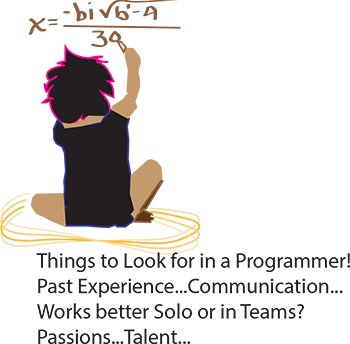 It’s the eternal conundrum of a hiring manager – you have to hire for every single position in the company without any first-hand experience. How to do it? If you can have a trusted programmer sit in on the interview, that’s ideal, of course. But what if you’re hiring your first programmer? Or what if you’re hiring a freelancer? Or what if company policy dictates that you’re the only person allowed to do the interviewing? Well, in that case, you need some helpful advice and your innate bullshit detector. We questioned programmers and hiring managers and compiled a list of dos and don’ts. Here are some things to ask when interviewing programmers:
Past Experience
Ask the programmer about the biggest disaster of his career so far, and how he handled it. Did he come in at midnight to fix the code? Was he unaware of the problem until someone brought it up? Did someone else handle it? According to our programmer sources, “Anyone worth their salt has caused a major meltdown. If they say they haven’t, they’re lying. Or very, very green.” Pushing a code with bugs in it isn’t necessarily bad. Not handling it well is bad.
As usual, your biggest asset is not knowing the field, it is knowing people. Asking about career disasters can be uncomfortable, but if the interviewee is experienced and honest then she won’t have a problem telling you about it, and you will get an idea of how she handles mishaps. Even if you don’t understand what the disaster was or how it was fixed, you should be able to tell how honest she’s being and how she handles being put on the spot.

If you're someone who's interested in computer programming, chances are you've considered pursuing a career in it. However, being a computer programmer is definitely not for everyone, as it takes some special characteristics to succeed as a computer programmer.
Good at Math
While you don't have to be a math genius in order to be a good computer programmer, being good at math really does help. In general, as long as you know your trigonometry and advanced high school algebra, you should be set for programming.
However, in a few instances, knowledge of more advanced math ends up being necessary. For example, for shader programming, you should be familiar with integration of multiple variables, matrix algebra, and basic differentiation. You will also require considerable math skills in order to program 3D.
Excellent Problem Solver
To be a successful computer programmer, you definitely need to be an excellent problem solver. It is vital for a computer programmer to break a problem down into small parts. They must then be able to decide the best way to approach individual pieces of the problem. Computer programmers also need to know how to anticipate and prevent potential problems. While problem-solving, they also need to keep in mind things like user experience and performance.
If you're not a good problem solver, knowing a particular language and syntax will be useless if you can't even identify the problem at hand. Therefore, excellent problem solving skills are a critical foundation for computer programming.
Patience
If you are not a patient person, you will quickly become very frustrated with computer programming. Problem-solving is not always easy and fast. In fact, it may take a very long time, especially if you're either inexperienced or working on an especially hard project.
Debugging after the coding process is also very frustrating and tedious. No matter how hard you try, you will always have bugs in your coding, and these bugs, while often easy to fix, tend to be very difficult to detect. Therefore, you will end up spending a lot of your time searching for bugs that take very little time to fix.
Well-Rounded Skills
Generally, computer programmers who are very skilled in one area tend to stick around longer than jack-of-all-trades, as specialized programmers are harder to replace with outsourcing than general programmers. Therefore, it will do you well to specialize in one area of computer programming.
However, while specializing is good, you should still know at least a little about everything, especially skills that relate to the area you specialize in. For example, if you're a core Java programmer, you should know about SQL programming and ideally a scripting language or some regular expressions.
As you can see, not everyone has what it takes to pursue computer programming as a career and succeed at it. In fact, just because you love to program doesn't mean it's a good career choice for you. However, if you feel that you possess all the characteristics listed above, then you should definitely consider computer programming as a career.
Tech Life in Arizona
| Company Name | City | Industry | Secondary Industry |
|---|---|---|---|
| Insight Enterprises, Inc. | Tempe | Computers and Electronics | IT and Network Services and Support |
| First Solar, Inc. | Tempe | Energy and Utilities | Alternative Energy Sources |
| Republic Services Inc | Phoenix | Energy and Utilities | Waste Management and Recycling |
| Pinnacle West Capital Corporation | Phoenix | Energy and Utilities | Gas and Electric Utilities |
| Amkor Technology, Inc. | Chandler | Computers and Electronics | Semiconductor and Microchip Manufacturing |
| Freeport-McMoRan Copper and Gold | Phoenix | Agriculture and Mining | Mining and Quarrying |
| US Airways Group, Inc. | Tempe | Travel, Recreation and Leisure | Passenger Airlines |
| PetSmart, Inc. | Phoenix | Retail | Retail Other |
| Avnet, Inc. | Phoenix | Computers and Electronics | Instruments and Controls |
| ON Semiconductor Corporation | Phoenix | Computers and Electronics | Semiconductor and Microchip Manufacturing |
training details locations, tags and why hsg
The Hartmann Software Group understands these issues and addresses them and others during any training engagement. Although no IT educational institution can guarantee career or application development success, HSG can get you closer to your goals at a far faster rate than self paced learning and, arguably, than the competition. Here are the reasons why we are so successful at teaching:
- Learn from the experts.
- We have provided software development and other IT related training to many major corporations in Arizona since 2002.
- Our educators have years of consulting and training experience; moreover, we require each trainer to have cross-discipline expertise i.e. be Java and .NET experts so that you get a broad understanding of how industry wide experts work and think.
- Discover tips and tricks about Linux Unix programming
- Get your questions answered by easy to follow, organized Linux Unix experts
- Get up to speed with vital Linux Unix programming tools
- Save on travel expenses by learning right from your desk or home office. Enroll in an online instructor led class. Nearly all of our classes are offered in this way.
- Prepare to hit the ground running for a new job or a new position
- See the big picture and have the instructor fill in the gaps
- We teach with sophisticated learning tools and provide excellent supporting course material
- Books and course material are provided in advance
- Get a book of your choice from the HSG Store as a gift from us when you register for a class
- Gain a lot of practical skills in a short amount of time
- We teach what we know…software
- We care…