
Microsoft SQL Server Training Classes in Denver, Colorado
Learn Microsoft SQL Server in Denver, Colorado and surrounding areas via our hands-on, expert led courses. All of our classes either are offered on an onsite, online or public instructor led basis. Here is a list of our current Microsoft SQL Server related training offerings in Denver, Colorado: Microsoft SQL Server Training
Microsoft SQL Server Training Catalog
Course Directory [training on all levels]
- .NET Classes
- Agile/Scrum Classes
- AI Classes
- Ajax Classes
- Android and iPhone Programming Classes
- Azure Classes
- Blaze Advisor Classes
- C Programming Classes
- C# Programming Classes
- C++ Programming Classes
- Cisco Classes
- Cloud Classes
- CompTIA Classes
- Crystal Reports Classes
- Data Classes
- Design Patterns Classes
- DevOps Classes
- Foundations of Web Design & Web Authoring Classes
- Git, Jira, Wicket, Gradle, Tableau Classes
- IBM Classes
- Java Programming Classes
- JBoss Administration Classes
- JUnit, TDD, CPTC, Web Penetration Classes
- Linux Unix Classes
- Machine Learning Classes
- Microsoft Classes
- Microsoft Development Classes
- Microsoft SQL Server Classes
- Microsoft Team Foundation Server Classes
- Microsoft Windows Server Classes
- Oracle, MySQL, Cassandra, Hadoop Database Classes
- Perl Programming Classes
- Python Programming Classes
- Ruby Programming Classes
- SAS Classes
- Security Classes
- SharePoint Classes
- SOA Classes
- Tcl, Awk, Bash, Shell Classes
- UML Classes
- VMWare Classes
- Web Development Classes
- Web Services Classes
- Weblogic Administration Classes
- XML Classes
- AWS Certified Machine Learning: Specialty (MLS-C01)
2 November, 2026 - 6 November, 2026 - DOCKER WITH KUBERNETES ADMINISTRATION
28 September, 2026 - 2 October, 2026 - Linux Fundaments GL120
14 September, 2026 - 18 September, 2026 - RED HAT ENTERPRISE LINUX SYSTEMS ADMIN II
2 November, 2026 - 5 November, 2026 - OpenShift Fundamentals
5 October, 2026 - 7 October, 2026 - See our complete public course listing
Blog Entries publications that: entertain, make you think, offer insight
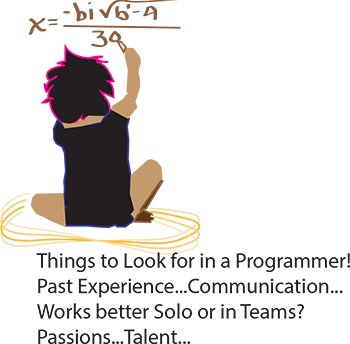 It’s the eternal conundrum of a hiring manager – you have to hire for every single position in the company without any first-hand experience. How to do it? If you can have a trusted programmer sit in on the interview, that’s ideal, of course. But what if you’re hiring your first programmer? Or what if you’re hiring a freelancer? Or what if company policy dictates that you’re the only person allowed to do the interviewing? Well, in that case, you need some helpful advice and your innate bullshit detector. We questioned programmers and hiring managers and compiled a list of dos and don’ts. Here are some things to ask when interviewing programmers:
Past Experience
Ask the programmer about the biggest disaster of his career so far, and how he handled it. Did he come in at midnight to fix the code? Was he unaware of the problem until someone brought it up? Did someone else handle it? According to our programmer sources, “Anyone worth their salt has caused a major meltdown. If they say they haven’t, they’re lying. Or very, very green.” Pushing a code with bugs in it isn’t necessarily bad. Not handling it well is bad.
As usual, your biggest asset is not knowing the field, it is knowing people. Asking about career disasters can be uncomfortable, but if the interviewee is experienced and honest then she won’t have a problem telling you about it, and you will get an idea of how she handles mishaps. Even if you don’t understand what the disaster was or how it was fixed, you should be able to tell how honest she’s being and how she handles being put on the spot.
What is computer crime? Computer crime, often called “cyber crime” is any type of illegal activity that takes place on a computer with a network. Oftentimes, when you think of computer crime, you might picture a home user downloading a virus that wipes out his hard drive or spyware that hijacks her system for the purposes of spying.
Computer crimes can also affect businesses too and they do, sometimes with devastating results. For example, in 2012, the IRS paid a whopping 5.2 billion dollars in tax refunds to identity thieves!
Protect your business and improve your bottom line by staying one step ahead of the cybercriminals.
5 Common Computer Crimes
The importance of variables in any programming language can’t be emphasised enough. Even if you are a novice, the chances are good that you will have been using variables for quite a while now.
They are the cornerstone of any language and without them we would not be able to accomplish much of anything. However, most of you up until this point have probably only been working with standard variables, variables which can hold single values such as an integer, a single character, or a string of text.
In this tutorial we are going to take a look at a more special type of variable called an array. Arrays can seem quite daunting at first glance but once you get used to working with them you will wonder how you ever managed to program without them.
The reason arrays are special is because they can hold more than one value. Think about this: say you create a variable which contains a line of text like the code below:
For those newly moving into the realm of programming, the important question to mull over is what programming language or technology to specialize in. On the other hand, those who are already working as a software developer, the constant worry remains whether their current technology would become obsolete very soon.
Both these concerns could be easily addressed by checking the list of programming languages that are highly in demand and formulating the career by modifying your specialization accordingly. The supply for the developers have not met with the demand in these programming languages yet, making them most viable options for career.
Popular Programming Languages Based on TIOBE Index
The top 10 list of programming languages which are highly in demand in 2014 is listed below in the order of popularity. These languages are identified from the TIOBE Programming Community index which consists of 20 top programming languages. TIOBE index is an indicator of the popularity of programming languages and is updated once in every month. This index is calculated using multiple search engines, and the ratings are based on the number of skilled engineers world-wide, courses and third party vendors.
Tech Life in Colorado
| Company Name | City | Industry | Secondary Industry |
|---|---|---|---|
| Level 3 Communications, Inc | Broomfield | Telecommunications | Telecommunications Other |
| Liberty Global, Inc. | Englewood | Telecommunications | Video and Teleconferencing |
| Liberty Media Corporation | Englewood | Media and Entertainment | Media and Entertainment Other |
| Western Union Company | Englewood | Financial Services | Financial Services Other |
| Ball Corporation | Broomfield | Manufacturing | Metals Manufacturing |
| Pilgrim's Pride Corporation | Greeley | Manufacturing | Food and Dairy Product Manufacturing and Packaging |
| Molson Coors Brewing Company | Denver | Manufacturing | Alcoholic Beverages |
| DISH Network Corporation | Englewood | Media and Entertainment | Media and Entertainment Other |
| Arrow Electronics, Inc. | Englewood | Computers and Electronics | Networking Equipment and Systems |
| DaVita, Inc. | Denver | Healthcare, Pharmaceuticals and Biotech | Outpatient Care Centers |
| Blockbuster LLC | Englewood | Media and Entertainment | Media and Entertainment Other |
| CH2M HILL | Englewood | Energy and Utilities | Alternative Energy Sources |
| Newmont Mining Corporation | Greenwood Vlg | Agriculture and Mining | Mining and Quarrying |
training details locations, tags and why hsg
The Hartmann Software Group understands these issues and addresses them and others during any training engagement. Although no IT educational institution can guarantee career or application development success, HSG can get you closer to your goals at a far faster rate than self paced learning and, arguably, than the competition. Here are the reasons why we are so successful at teaching:
- Learn from the experts.
- We have provided software development and other IT related training to many major corporations in Colorado since 2002.
- Our educators have years of consulting and training experience; moreover, we require each trainer to have cross-discipline expertise i.e. be Java and .NET experts so that you get a broad understanding of how industry wide experts work and think.
- Discover tips and tricks about Microsoft SQL Server programming
- Get your questions answered by easy to follow, organized Microsoft SQL Server experts
- Get up to speed with vital Microsoft SQL Server programming tools
- Save on travel expenses by learning right from your desk or home office. Enroll in an online instructor led class. Nearly all of our classes are offered in this way.
- Prepare to hit the ground running for a new job or a new position
- See the big picture and have the instructor fill in the gaps
- We teach with sophisticated learning tools and provide excellent supporting course material
- Books and course material are provided in advance
- Get a book of your choice from the HSG Store as a gift from us when you register for a class
- Gain a lot of practical skills in a short amount of time
- We teach what we know…software
- We care…